

- VISA
- Mastercard
- AMEX
- PayPal
- Discover
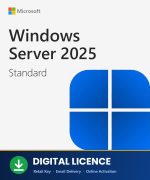
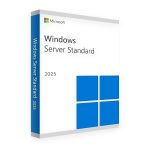
Windows Server 2025 Standard Key (Digital Download)
39.99 $ USD
- ✔Retail product key for Windows Server 2025 Standard, 1 server
- ✔One-time purchase, lifetime use, no subscription
- ✔Fast delivery: product key and official download link by email
- ✔Microsoft security updates until November 2034
- ✔Online activation with free support, including Evaluation conversion
- ✕Client Access Licenses (CALs) and RDS CALs not included
Windows Server 2025 Standard – Retail License
The modern, secure server operating system for small and medium businesses, home labs and IT professionals. Windows Server 2025 Standard runs your file sharing, user management, websites, applications and virtual machines, with stronger built-in security and Microsoft support until November 2034. One-time purchase, no subscription.
ℹ️ Good to know before you buy
In a business network, users or devices that connect to the server may also need Client Access Licenses (CALs), and Remote Desktop Services needs RDS CALs. These are not included. If you installed the free Evaluation version, follow the conversion steps below before entering your key.
⚡ Quick answer
- Retail key that activates Windows Server 2025 Standard on 1 server
- Rights to run 2 virtual machines on that server with Hyper-V
- Works with both Desktop Experience and Server Core installs
- Online activation, Microsoft security updates until November 2034
- Key and download link sent by email, CALs sold separately
What You Get With Windows Server 2025
🛡️ Secured-core server
Hardware-based protection with TPM 2.0 and Secure Boot to defend against firmware and boot attacks.
🔐 Stronger encryption
TLS 1.3 by default, AES-256 SMB encryption, and SMB over QUIC, now included in Standard edition.
🖥️ Windows Admin Center
Manage servers, storage and virtual machines from one browser-based dashboard.
🧩 Hyper-V virtualization
Run virtual machines on the same hardware. Standard edition includes rights for 2 virtual machines.
⚡ Hotpatching
Install many security updates without restarting the server (requires Azure Arc, a paid Microsoft subscription).
☁️ Hybrid with Azure
Connect to Azure Arc, backup, file sync and disaster recovery when you need them.
License Details
| Edition | Windows Server 2025 Standard |
| Usage | 1 physical server, with rights for up to 2 virtual machines |
| License | One-time purchase, lifetime use, no subscription |
| Delivery | Product key and official download link by email |
| Updates | Microsoft security updates until November 2034 |
| Not included | User/Device CALs and RDS CALs |
| Support | Free activation help by email and Live Chat |
Windows Server 2025 Standard vs Datacenter
| Feature | Standard | Datacenter |
| Virtual machines | 2 per license | Unlimited |
| Hyper-V, Windows Admin Center, SMB over QUIC | ✔ | ✔ |
| Hotpatching (with Azure Arc) | ✔ | ✔ |
| Storage Replica | Limited (1 partnership, volumes up to 2 TB) | ✔ Full |
| Storage Spaces Direct | ✘ | ✔ |
| Software-defined networking | ✘ | ✔ |
| Shielded virtual machines | ✘ | ✔ |
| Best for | Physical servers and light virtualization | Large virtualized hosts |
Standard is the right choice for one physical server running a few roles, such as a file server, domain controller, print server or small application server, plus up to 2 virtual machines. Datacenter only pays off when you need many virtual machines on the same host or its advanced storage and networking features.
How Windows Server 2025 Licensing Works
Microsoft licenses Windows Server by physical processor cores. Standard edition covers a server with up to 16 cores (at least 8 per processor) and 2 virtual machines. Servers with more cores, or setups that need more virtual machines, need additional licenses under Microsoft’s terms.
The server license does not cover the people and devices that connect to it. In a business network they may need Client Access Licenses (CALs), and Remote Desktop Services needs RDS CALs. Both are sold separately.
System Requirements
| Processor | 1.4 GHz 64-bit (x64) processor with SSE4.2 and POPCNT |
| Memory | 512 MB (Server Core) or 2 GB (Desktop Experience) |
| Storage | 32 GB available disk space |
| Network | Gigabit Ethernet adapter |
| Security | UEFI with Secure Boot and TPM 2.0 recommended |
Converting the Evaluation Version to Standard
If you installed Windows Server 2025 from Microsoft’s free Evaluation download, convert it to the full Standard edition with your key:
- Open PowerShell as Administrator.
- Run this command, replacing the X’s with your product key:
DISM /Online /Set-Edition:ServerStandard /ProductKey:XXXXX-XXXXX-XXXXX-XXXXX-XXXXX /AcceptEula - When asked, press Y to restart the server.
- After the restart, check the edition with:
DISM /Online /Get-CurrentEditionIt should show ServerStandard.
Upgrading From an Older Windows Server
You can upgrade in place to Windows Server 2025 from Windows Server 2012 R2, 2016, 2019 or 2022 and keep your roles, settings and data. Run setup.exe from the Server 2025 installation media on the running server and choose to keep files, settings and apps.
- Take a full backup of the server first
- Check that your applications and drivers support Server 2025
- Test on a non-critical server first if you can
- For domain controllers, follow Microsoft’s Active Directory upgrade guidance
🛠️If Your Key Doesn’t Activate
- Check the editionMake sure the server runs Windows Server 2025 Standard, not Datacenter or an Evaluation version (see conversion steps above).
- Enter the key in SettingsGo to Settings → System → Activation → Change product key, and paste the key from your email.
- Using the command line?Run slmgr /ipk YOUR-KEY, then slmgr /ato in an administrator command prompt.
- Seeing error 0xC004C008?The key may already be linked to another server. See our key already in use guide.
Still stuck?
Send us your order number and a screenshot. We typically reply within 1–6 hours.
💬Frequently Asked Questions
Is this a one-time purchase?
Are Client Access Licenses (CALs) included?
How many virtual machines can I run?
Until when will it get updates?
Server 2025 or Server 2022?
Can I upgrade from Server 2019 or 2022?
Does the key work with Server Core?
How is the key delivered?
What’s your refund policy?
Activation Help Guides
Instant Digital Delivery
This is a digital product, so there's nothing to ship and no waiting for a package. Your key arrives by email, usually within 10 minutes after payment, and never later than 6 hours.
1. Complete your payment
Pay securely by card, PayPal or Google Pay. Your order is confirmed instantly.
2. Check your email
Usually within 10 minutes (up to 6 hours at busy times), you receive your product key, the official download link, and step-by-step instructions.
3. Install & activate
Follow the instructions in the email. Activation takes just a few minutes.
| Delivery time | 10 minutes to 6 hours |
| Delivery method | |
| Shipping cost | Free, no physical shipping |
| Payment | Visa, Mastercard, American Express, Discover, PayPal, Google Pay |
📩 Didn't receive your email?
Check your Spam or Promotions folder first. Still nothing? Contact us at support@krbkeys.com or via Live Chat with your order number, and we'll resend it right away.
Related products