




How to Fix the “Unlicensed Product” Error in Office 2021
You open Word, Excel or PowerPoint and see a red bar at the top: “UNLICENSED PRODUCT – Most features of Word have been disabled because it hasn’t been activated.” Sometimes you see “Product Activation Failed” in the title bar instead. The good news: this almost always means Office simply hasn’t picked up your license yet, not that something broke. The fixes below take a few minutes each. Work through them in order.
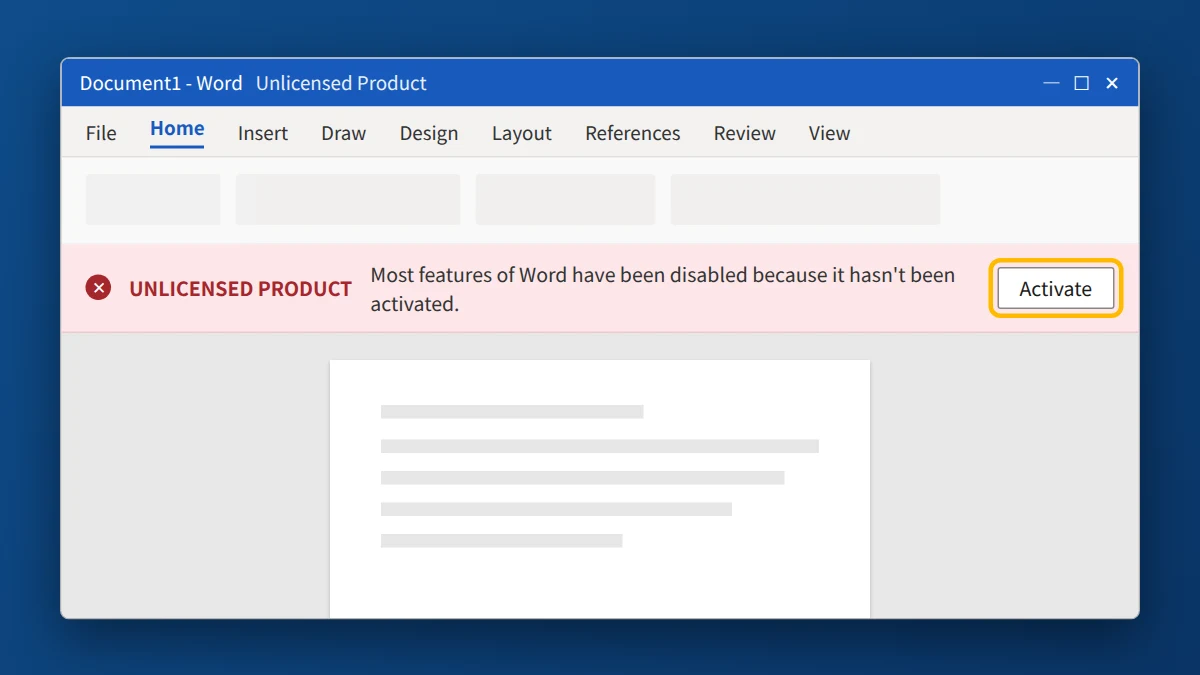
Office 2021 shows "Unlicensed Product" when it can't confirm a valid license, most often because another Office version, such as a Microsoft 365 trial, is installed alongside it. Remove the other Office versions, then enter your product key inside Office under File → Account. If it still says Unlicensed, run Office as administrator, check your date and time, update Office and, as a last step, reinstall it cleanly.
Why does Office 2021 say “Unlicensed Product”?
- You have more than one version of Office installed. Many new laptops come with a Microsoft 365 trial pre-installed. When the trial expires, it can block your Office 2021 license. This is the most common cause.
- The product key was never entered, or it was entered into a different Office version than the one you bought.
- The installed edition doesn’t match the key (for example, you installed Office Home & Student but you have a Professional Plus key).
- Office can’t reach Microsoft’s activation servers because of a firewall, VPN, proxy, or wrong date and time.
- Office is running without admin rights and can’t save the license.
Fix 1: Remove other versions of Office
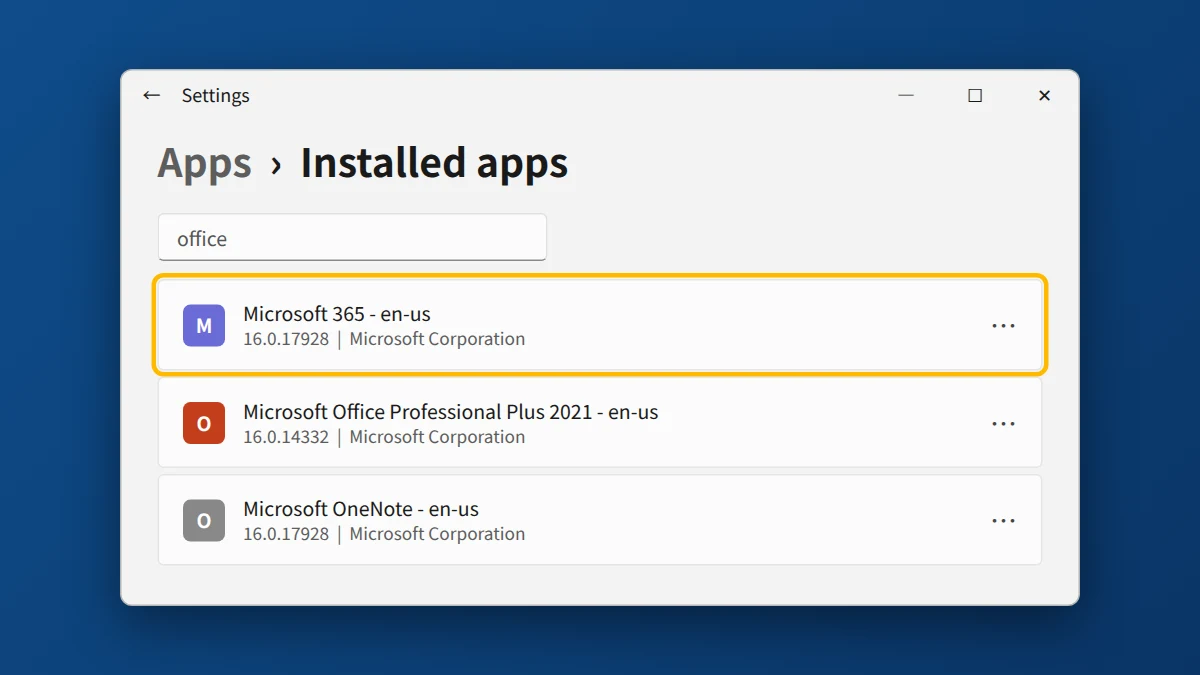
- Open Control Panel → Programs → Programs and Features (or Settings → Apps).
- Type office in the search box.
- If you see more than one Office product (for example “Microsoft 365 – en-us” and “Microsoft Office Professional Plus 2021”), uninstall every one you didn’t buy.
- Restart your PC and open Word again.
Also check for other language versions: “Microsoft 365 – fr-fr” or “Microsoft OneNote – en-us” entries left over from a trial can cause the same problem.
Fix 2: Enter your product key inside Office
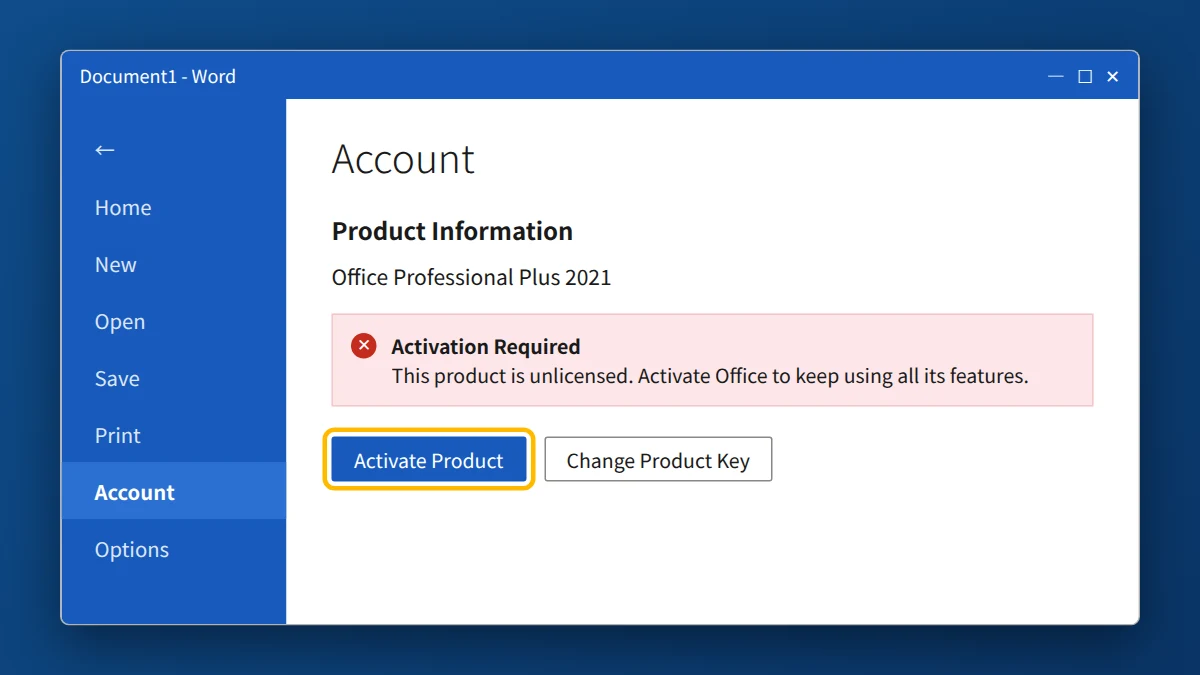
- Open Word (or any Office app) and go to File → Account.
- Under Product Information, click Change Product Key (or Activate Product).
- Enter your 25-character Office 2021 key and click Activate Office.
- Close all Office apps and open Word again. The red bar should disappear and File → Account should show “Product Activated.”
If your key came with instructions to redeem it at setup.office.com, sign in there with your Microsoft account, enter the key, and then sign in to Office with that same account (File → Account → Sign in).
Fix 3: Run Office as administrator
- Close all Office apps.
- Click Start, type Word, right-click it and choose Run as administrator.
- Click Yes when Windows asks for permission, then repeat Fix 2.
Fix 4: Check your date, time and connection
- Go to Settings → Time & Language → Date & time and turn on Set time automatically and Set time zone automatically.
- Temporarily turn off any VPN, proxy, or third-party firewall/antivirus, then try activating again. Turn them back on afterwards.
Fix 5: Update Office
Open Word, go to File → Account → Update Options → Update Now. Updates sometimes include activation fixes. Restart Word after the update finishes.
Fix 6: Check and reactivate the license with Command Prompt
This advanced method shows exactly which licenses Office sees, and lets you remove a wrong or expired one.
- Click Start, type
cmd, right-click Command Prompt and choose Run as administrator. - Go to the Office folder (for 64-bit Office on 64-bit Windows):
cd "C:\Program Files\Microsoft Office\Office16"
If you get “The system cannot find the path specified,” try:cd "C:\Program Files (x86)\Microsoft Office\Office16"
- Show the installed licenses:
cscript ospp.vbs /dstatus
Note the Last 5 characters of installed product key for any license that shows as expired, a grace period, or a product you don’t own. - Remove that license (replace ABCDE with those 5 characters):
cscript ospp.vbs /unpkey:ABCDE
- Install your Office 2021 key:
cscript ospp.vbs /inpkey:XXXXX-XXXXX-XXXXX-XXXXX-XXXXX
- Activate:
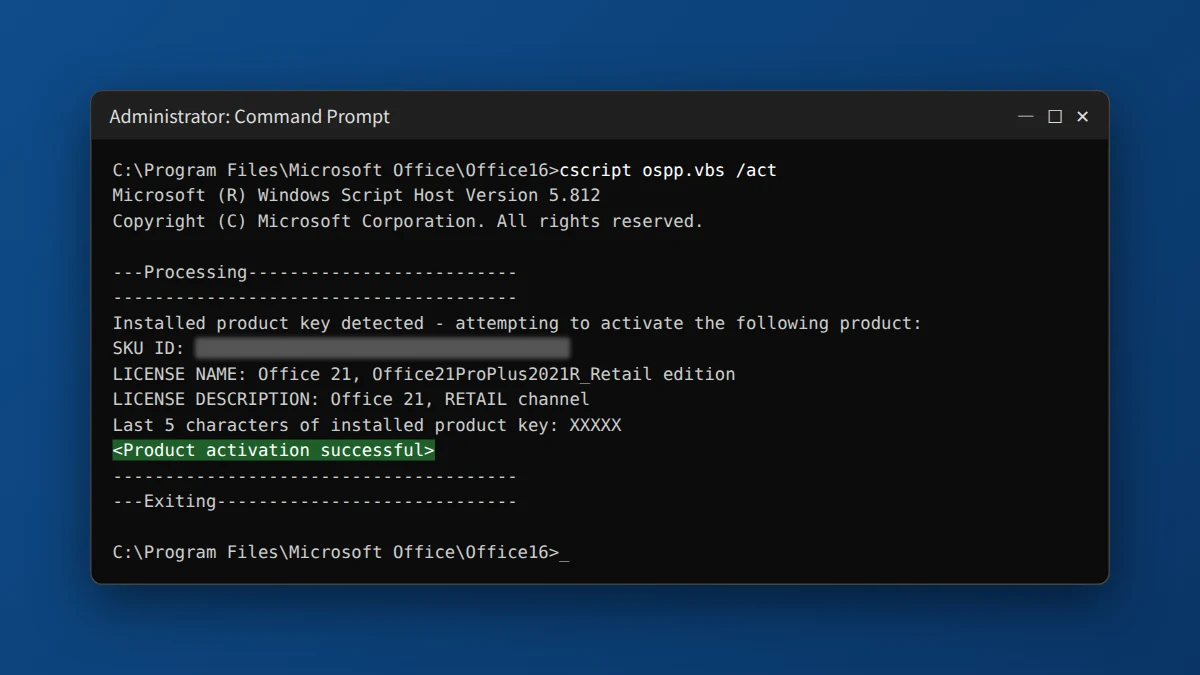
cscript ospp.vbs /act
You should see “Product activation successful.”
Fix 7: Reinstall Office cleanly
If nothing above works, uninstall Office completely using Microsoft’s Support and Recovery Assistant (search “Microsoft SaRA uninstall Office”), restart your PC, reinstall the Office 2021 edition that matches your key (our Office 2021 Professional Plus download guide links Microsoft’s official installer), and activate again with Fix 2.
Need a genuine Office key?
If your Office was a trial, you need your own key to remove “Unlicensed Product” for good. One-time purchase, instant email delivery, and free help if activation doesn’t go through.
Frequently asked questions
Can I still use Office if it says “Unlicensed Product”?
Only in a very limited way. You can open and view files, but most apps block editing and saving until you activate Office.
Will I lose my documents if I uninstall Office?
No. Your documents live separately in your Documents, Desktop or OneDrive folders. Uninstalling Office only removes the programs.
Why did the error appear on a brand-new laptop?
Most new laptops ship with a Microsoft 365 trial. If you install Office 2021 alongside it, the expired trial can block your Office 2021 license. Uninstall the Microsoft 365 trial (Fix 1) and restart.
Only Access or Excel shows “Unlicensed Product.” Why?
That usually means you have a separate or older copy of that one app installed. Search Programs and Features for “Access” or “Excel,” uninstall any standalone copy, then repeat Fix 2.
Is Office 2021 still supported?
Microsoft’s support for Office 2021 ended on October 13, 2026. After that date Office 2021 keeps working and can still be activated, but Microsoft no longer releases security updates or fixes for it. For support that lasts longer, Office 2024 is the newer one-time-purchase version.


























