




Windows 11 Activation Error 0xC004C060: What It Means & How to Fix It
If you tried to activate Windows 11 and got error code 0xC004C060, Microsoft's activation server has refused the product key you entered. It sounds serious, but in most cases it's quick to sort out, especially if you bought the key from a seller who stands behind it.
Error 0xC004C060 means Microsoft's activation server checked your key and refused it, usually because the key is blocked or is for a different Windows edition. It's a problem with the key, not your PC, so reinstalling Windows won't fix it. Restart and try again, check that your edition matches the key and run the Activation troubleshooter. If it still fails, ask the seller for a replacement key.
Watch: fix error 0xC004C060 step by step
Prefer watching? This video explains the error and its causes, then walks through all four fixes in the same order as the guide below.
Watch on the KRBKeys YouTube channel →
Short on time? Watch the short version
The same fix in a quick vertical video made for phones. Open it on YouTube Shorts →
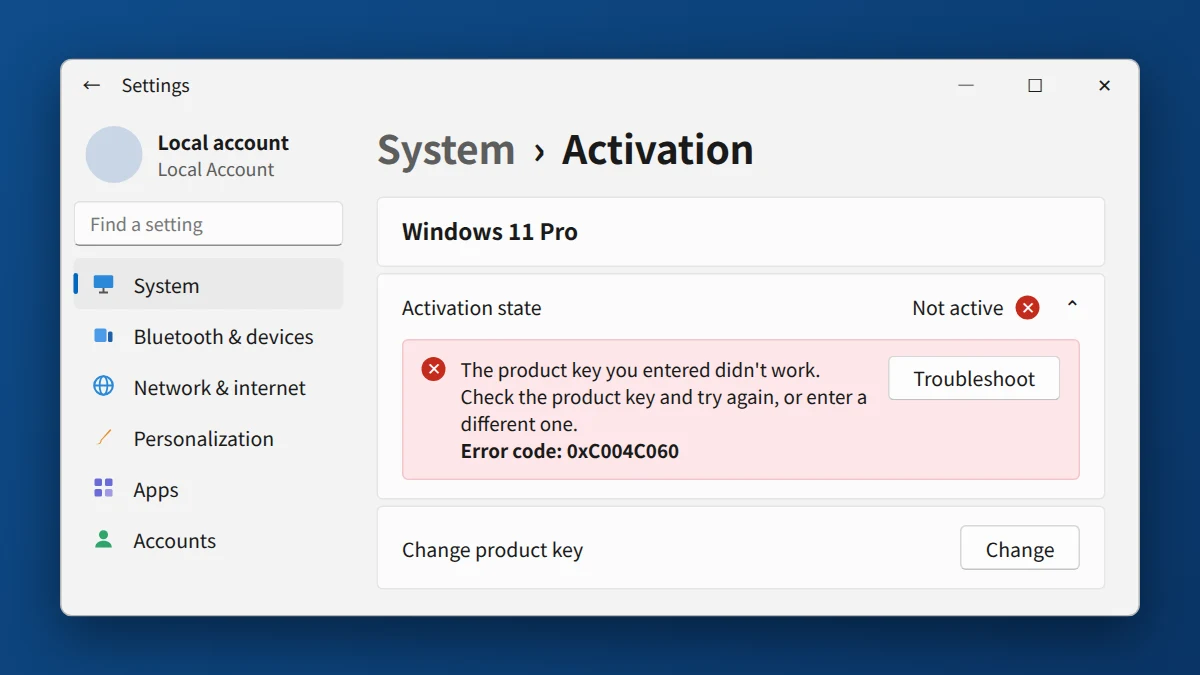
What does Windows 11 activation error 0xC004C060 mean?
This error means the activation server checked your key and decided it can't be used to activate Windows, usually because the key has been blocked by Microsoft or doesn't match the Windows edition you're activating. It's a problem with the key, not with your PC or your Windows installation, so reinstalling Windows won't fix it.
Why does error 0xC004C060 appear?
The most common causes are:
- The key has been blocked by Microsoft, for example because it was activated more times than its license allows
- The key is for a different edition, such as a Windows 11 Home key on a PC running Windows 11 Pro, or the other way around
- A temporary server-side hiccup during the activation check, which is less common but can happen
Seeing a message that your key is already in use on another PC instead? That's a different error. See our guide to error 0xC004C008: product key already in use.
How to fix error 0xC004C060 on Windows 11
- Restart your PC and try activating again. A large share of 0xC004C060 errors are temporary server mismatches that clear up after a simple retry.
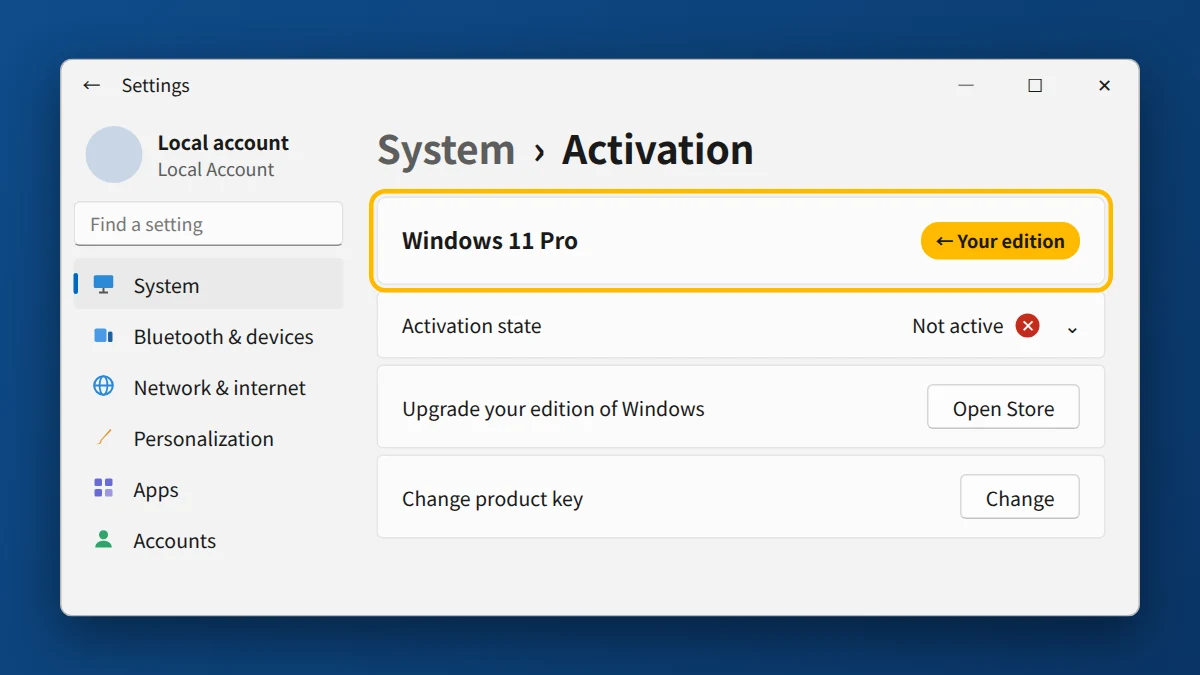
- Check your Windows edition matches your key. Go to Settings → System → Activation and confirm you're activating the correct edition (Home vs. Pro) — a mismatched edition triggers this exact error.
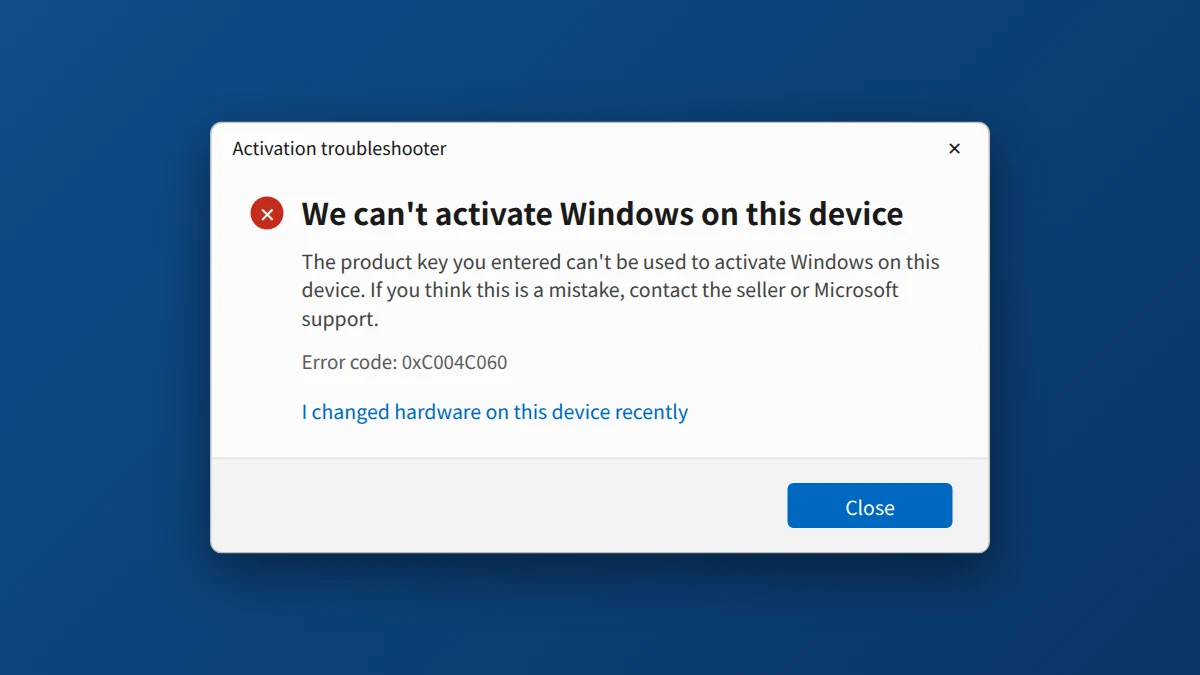
- Run the Activation Troubleshooter. Settings → System → Activation → Troubleshoot will often diagnose the specific mismatch automatically.
- If none of that works, contact the seller you bought the key from. A legitimate seller will replace a key that's genuinely already in use, usually within 24–48 hours, at no cost to you.
If You Bought Your Key From KRBKeys
If this error is showing up on a key purchased from us, don't worry — it's a known, fixable issue. Email support@krbkeys.com with your order number, and we'll get you a replacement key, typically within 1–6 hours.
Need a Windows 11 Pro key that works?
Genuine retail key, instant email delivery, and a free replacement if activation fails.
Get Windows 11 Pro Key →Frequently Asked Questions
Does this error mean my key is fake?
Not necessarily, and it isn't something you did wrong. It means Microsoft won't accept that key anymore, often because someone activated it too many times. Either way, nobody can repair the key, so the solution is a replacement key from the seller. That's why buying from a seller with a replacement guarantee matters.
Will restarting really fix it?
Often, yes. Microsoft's activation servers occasionally reject a valid request due to a timing issue, and a retry after restart resolves it without any further action.
What if I bought the key from Microsoft directly and still see this error?
It's rarer, but can still happen with a genuine key if you've reinstalled Windows multiple times or migrated hardware. In that case, use the Activation Troubleshooter and, if needed, contact Microsoft support directly.
How do I know if I have an OEM or Retail key?
You’ll usually find OEM keys on a sticker on your PC or in an email from wherever you bought your PC. Retail keys are the ones you buy separately, like the one linked above, and they can move between devices.


























