




How to Fix Activation Error 0xC004F074 on Windows 10 and 11
You open Settings → System → Activation (Windows 11) or Settings → Update & Security → Activation (Windows 10) and see this message:
“We can’t activate Windows on this device because we can’t connect to your organization’s activation server. Error code: 0xC004F074.”
It’s one of the most common activation errors on Windows 10 and Windows 11, and it usually has nothing to do with your internet connection. This guide explains what 0xC004F074 means, why it appears on home PCs, and how to fix it in a few minutes.
Error 0xC004F074 means Windows is trying to activate through a company KMS server and can't reach one. On a home PC this usually means a volume (KMS) key is installed instead of a retail key. Check what kind of license you have, replace the KMS key with your retail product key, and use phone activation if online activation still fails.
Watch: fix error 0xC004F074 step by step
Prefer watching? This video shows the error on Windows 10 and 11, what a KMS server is, how to check your license with slmgr /dlv, replacing the KMS key with your retail key (in Settings, or slmgr /ckms, /ipk and /ato), phone activation with slui 4, and the other things to check.
Watch on the KRBKeys YouTube channel →
Short on time? Watch the short version
The same fix in a quick vertical video made for phones. Open it on YouTube Shorts →
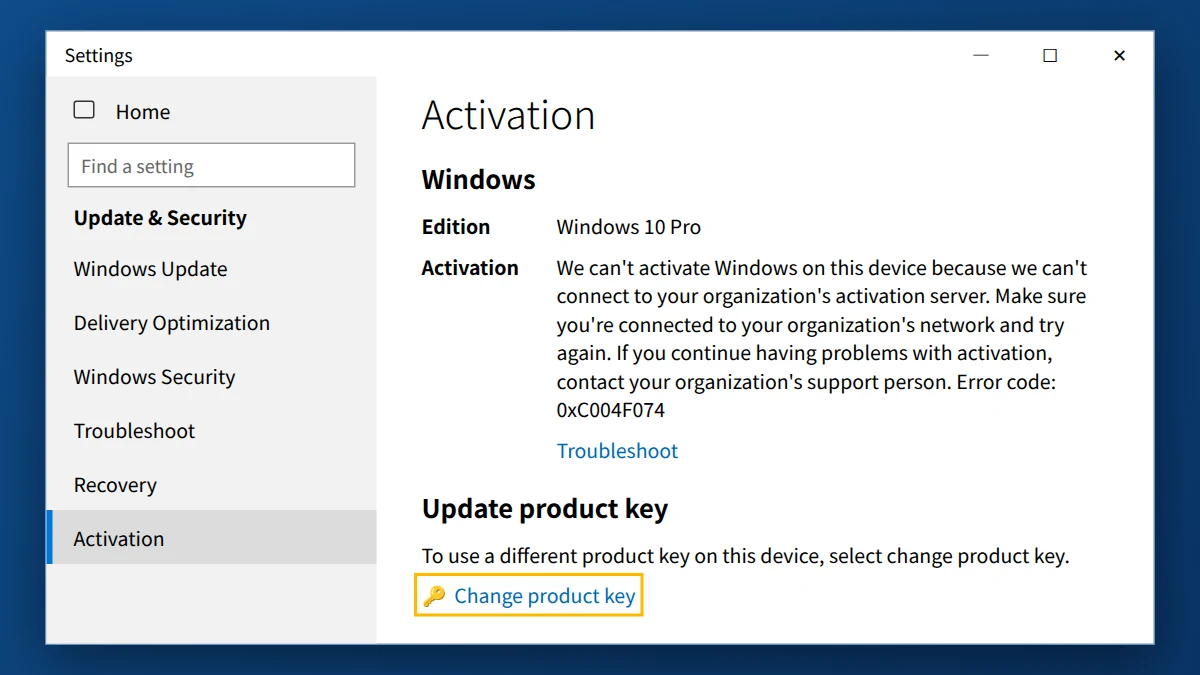
What does error code 0xC004F074 mean on Windows 10 and 11?
0xC004F074 means Windows is trying to activate through a KMS (Key Management Service) server and can’t reach one. KMS is the system companies and schools use to activate many PCs at once with a volume license. Your PC keeps checking back with that server, and when the check fails, activation fails. On a home PC, that usually means one of these things:
- The PC used to belong to a company or school. It was activated through that organization’s KMS server, and now it can’t reach it.
- Windows was installed with a generic volume (KMS) key, for example by a repair shop or a pre-configured installation.
- An unofficial “activator” tool was used in the past. These tools fake a KMS server, and when they stop working, 0xC004F074 appears.
- The key you entered is a volume license key, not a retail key meant for a single PC.
In almost every case the fix is the same: replace the volume/KMS key with a genuine retail key, which activates directly with Microsoft and doesn’t depend on any organization’s server.
Step 1: Check what kind of license you have
- Click Start, type
cmd, right-click Command Prompt and choose Run as administrator. - Type the following command and press Enter:
slmgr /dlv
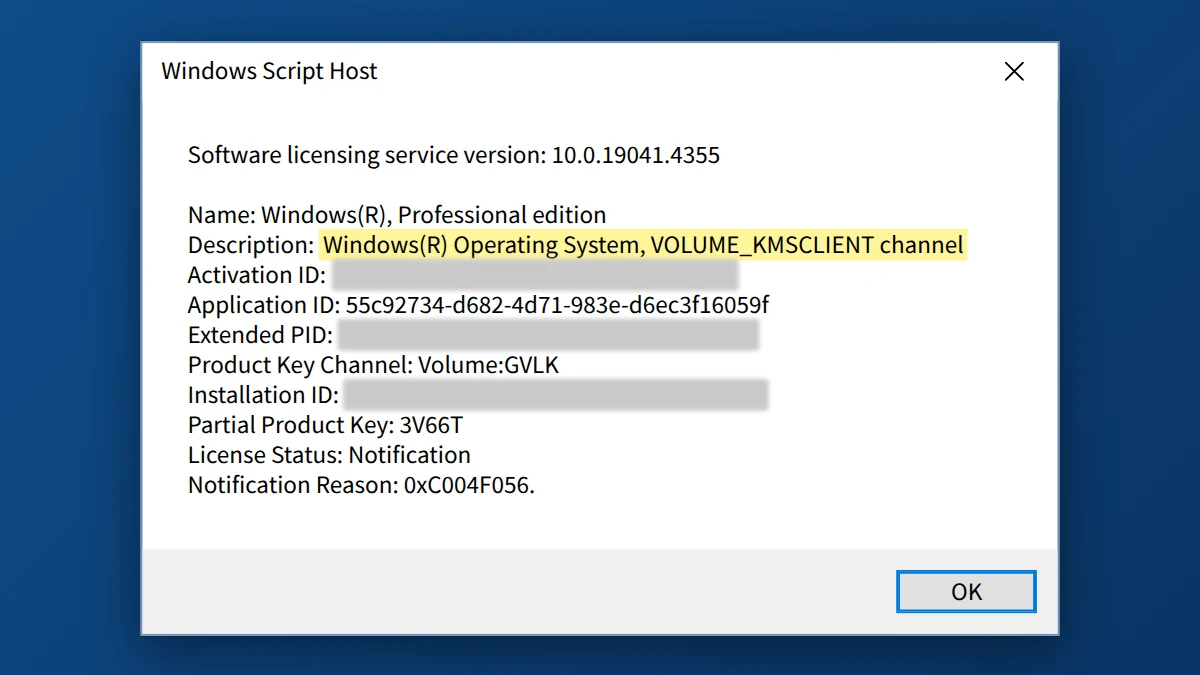
- After a few seconds a window opens. Look at the Description line:
- VOLUME_KMSCLIENT channel → your PC is set up for KMS activation. Continue with Step 2.
- RETAIL channel → you already have a retail key. Skip to “Other things to check” below.
- OEM channel → the license came with the PC. If it shows 0xC004F074, Step 2 still applies.
Step 2: Replace the KMS key with your retail product key
Easiest way (no commands):
- Go to Settings → System → Activation on Windows 11, or Settings → Update & Security → Activation on Windows 10.
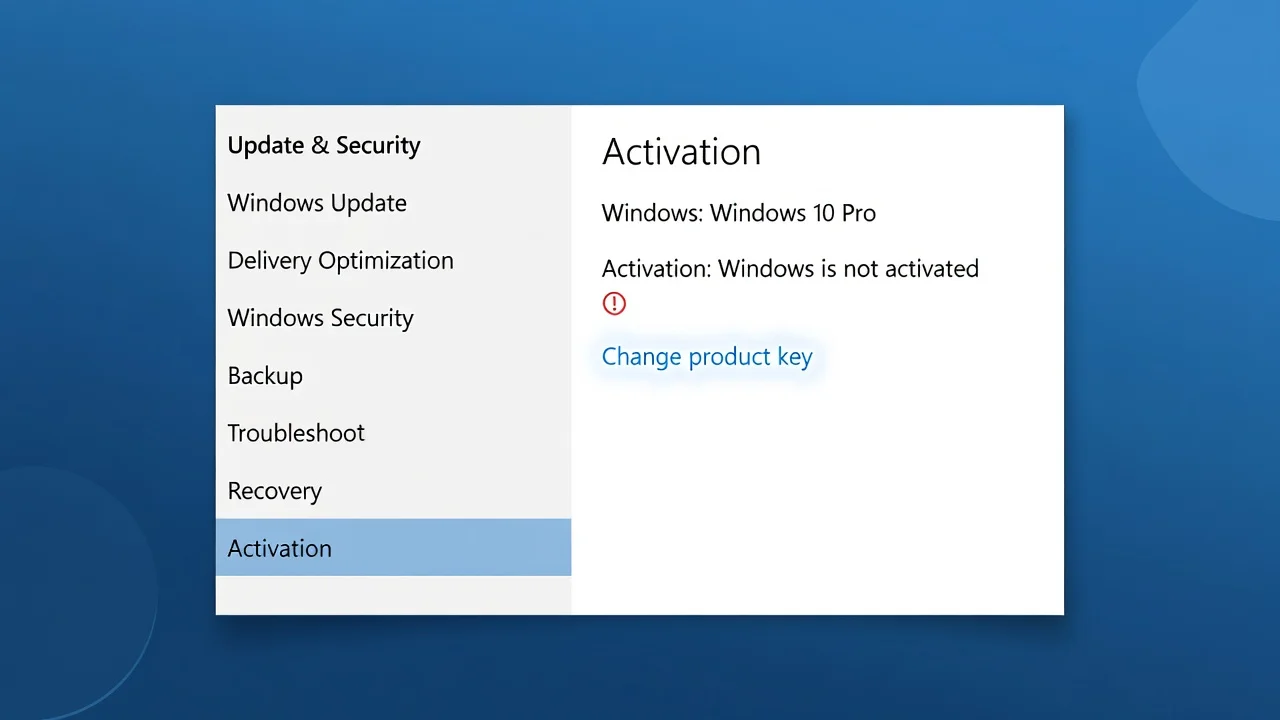
- Click Change product key.
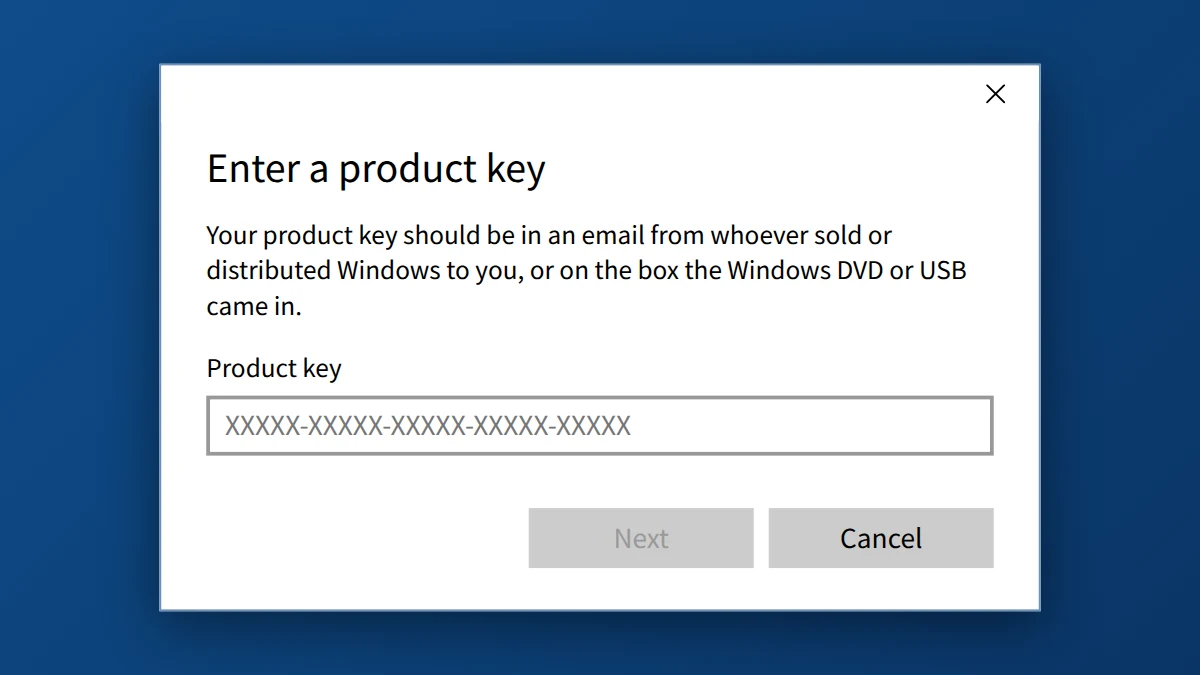
- Enter your 25-character Windows 11 Pro or Windows 10 Pro retail key and click Next, then Activate.
If that doesn’t work, use Command Prompt (as administrator):
- Clear the old KMS server address:
slmgr /ckms
- Install your retail key (replace the X’s with your key, keeping the dashes):
slmgr /ipk XXXXX-XXXXX-XXXXX-XXXXX-XXXXX
You should see “Installed product key … successfully.” - Activate online:
slmgr /ato
You should see “Product activated successfully.”
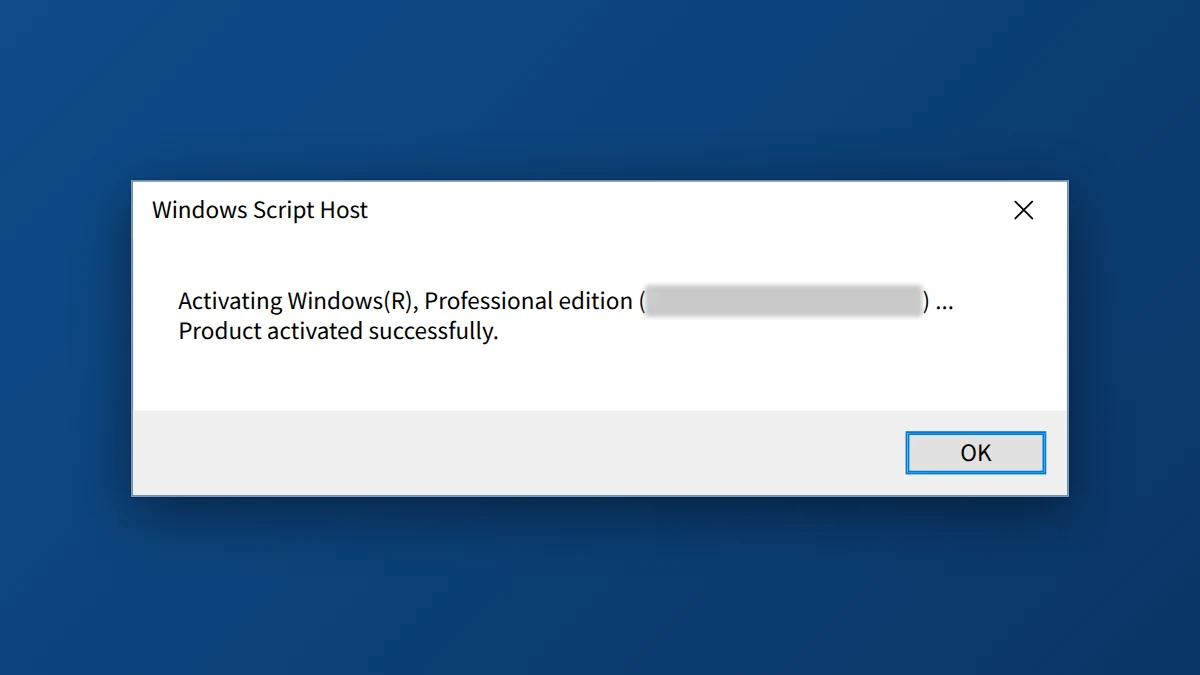
- Restart your PC and check Settings → Activation. It should now say “Windows is activated with a digital license” or “Windows is activated.”
Step 3: If you still get an error, try phone activation
- Press Windows + R, type
slui 4and press Enter. - Select your country or region and follow the instructions. You’ll read out an installation ID and receive a confirmation ID to type in.
0xC004F074 still showing? Other things to check
- Edition mismatch: a Pro key only activates the Pro edition of Windows 10 or Windows 11. If Settings shows “Home” or “Education,” the key won’t fit. Changing the key to a Pro key on a Home install will upgrade the edition automatically.
- Date and time: make sure your PC’s date, time and time zone are correct (Settings → Time & Language). Wrong settings can break activation.
- Firewall, VPN or proxy: temporarily turn them off and run
slmgr /atoagain. - Leftover activator software: if an unofficial activator was used before, uninstall it and let Windows Security run a full scan. These tools can keep re-inserting a fake KMS address.
- Different error code? If Windows says the key is blocked or can’t be used, see our guide to activation error 0xC004C060.
Prevent 0xC004F074 from coming back
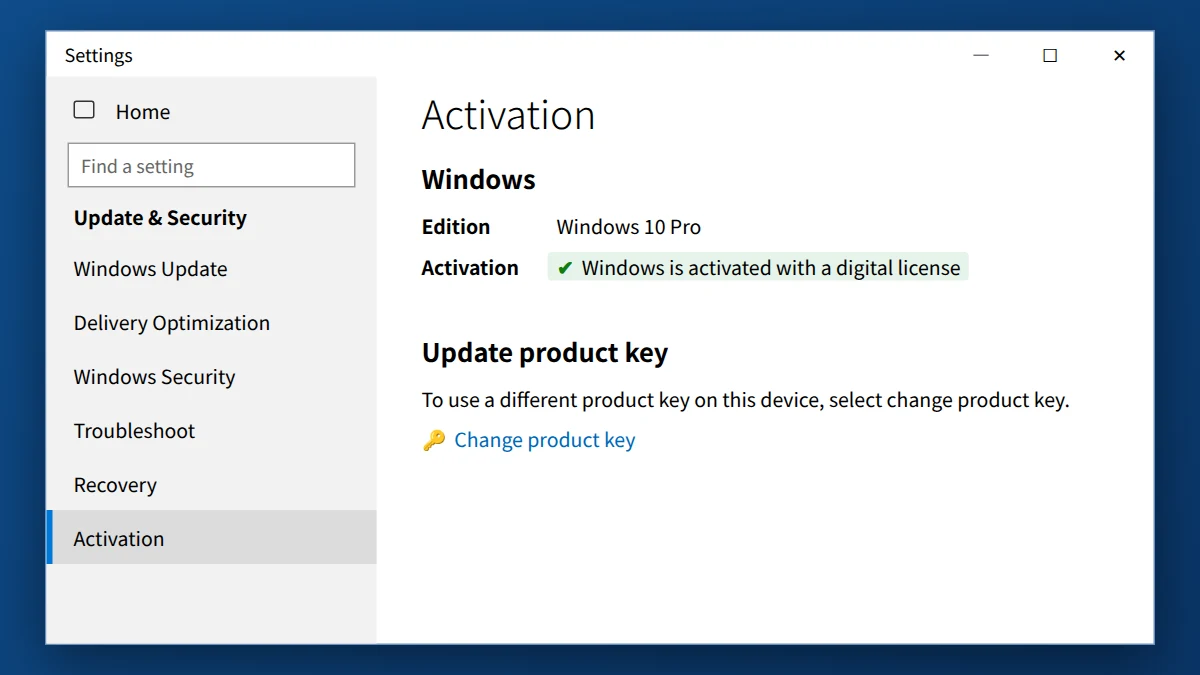
Once Windows is activated with a retail key, it activates directly with Microsoft’s servers and no longer depends on a KMS server. If you sign in with a Microsoft account, the license is also linked to it as a digital license. That makes reactivating easier after a hardware change (use Settings → Activation → Troubleshoot → I changed hardware on this device recently).
Fix 0xC004F074 for good with a genuine retail key
If your PC was running on a volume or KMS license, you need your own retail key. It activates directly with Microsoft, with no KMS server needed.
- ✔ Instant email delivery, usually within 2 minutes
- ✔ Online activation, no phone call needed
- ✔ Free support if activation doesn’t work
Frequently asked questions
Is 0xC004F074 caused by my internet connection?
Rarely. The error says Windows can’t reach a KMS server. On a home PC there usually isn’t one to reach. Replacing the KMS key with a retail key is the real fix.
Will I lose my files when I change the product key?
No. Changing the product key only changes the license. Your files, apps and settings stay exactly where they are.
My PC came from my old job. Can I keep using it?
Yes, but the company’s volume license belongs to the company. Install your own retail Windows 11 Pro or Windows 10 Pro key using the steps above and the PC will be activated in your name.
Can I use a Windows 10 Pro key to activate Windows 11 Pro?
Yes. A genuine Windows 10 Pro key can also activate Windows 11 Pro, as long as your PC meets the Windows 11 hardware requirements.
Is Windows 10 still supported?
Microsoft ended support for Windows 10 on October 14, 2025. Windows 10 keeps working and can still be activated. For ongoing security updates, Microsoft offers the Extended Security Updates (ESU) program, or you can upgrade to Windows 11 Pro on compatible hardware.


























