




Office 2021 Error: “This Product Cannot Be Activated Because the Product Key Is Not Valid”: How to Fix It
Office 2021 Error: “This Product Cannot Be Activated Because the Product Key Is Not Valid”: How to Fix It
If Office 2021 stops you with "This product cannot be activated because the product key is not valid," it doesn't automatically mean your key is bad. In most cases the cause is something simple, like a mistyped character, another Office version on the PC, or a sign-in or connection problem. This guide walks through the fixes in order, starting with the quickest.
Get a genuine key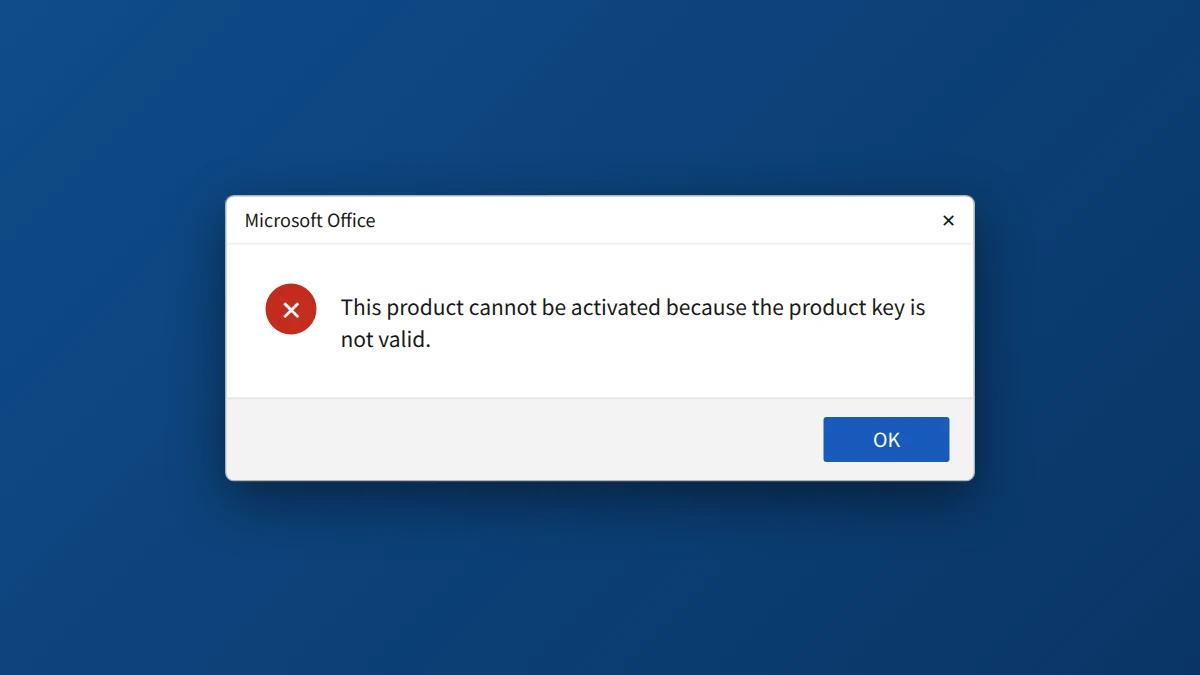
"This product key isn't valid" in Office 2021 usually means a typing mistake in the key, the wrong Office version installed, or a key that was already used. Re-enter the key carefully, check your internet connection and remove other Office versions. If it still fails, reinstall Office 2021, restart and try again, then contact your seller.
Why Office 2021 says your product key is not valid
Office checked the key you entered and could not match it to the version you installed, or could not confirm it with Microsoft's servers. So the message points to a mismatch or a failed check, not necessarily to a defective key.
Common reasons an Office 2021 key is rejected
- A typing mistake. One wrong character is enough. B and 8 are the usual mix-up. Office keys never contain the letters O or I, or the numbers 0 or 1.
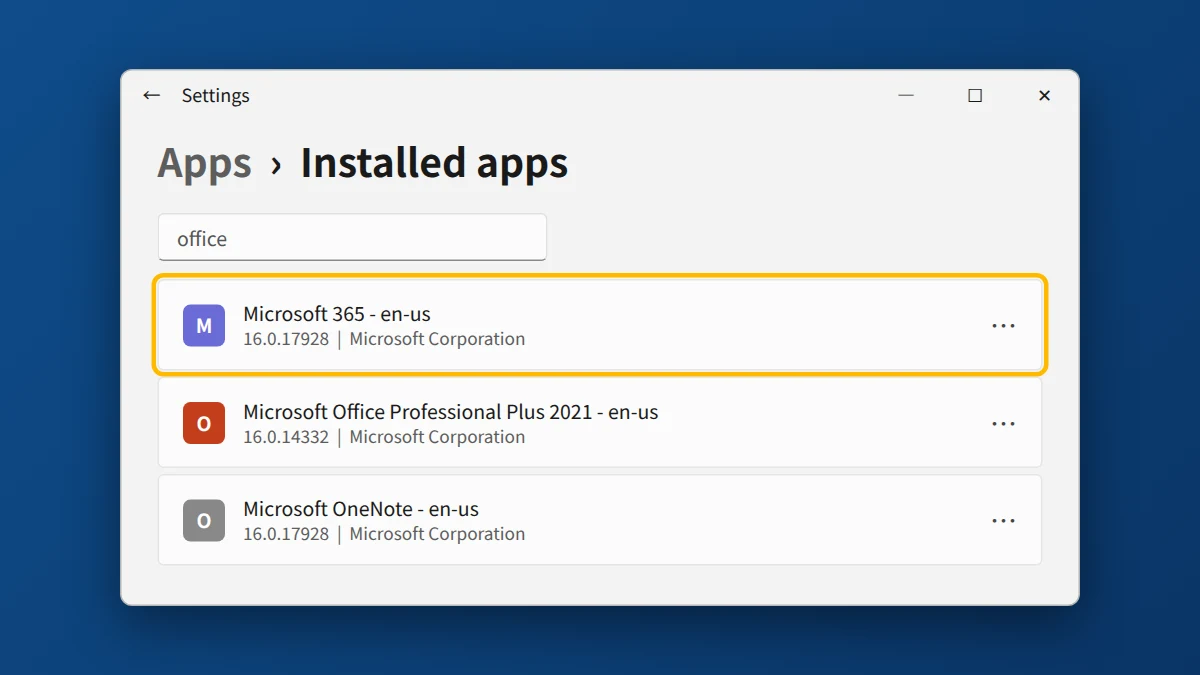
- Another Office version on the PC. A trial, a Microsoft 365 app, or an older Office install can take priority over your new one.
- The wrong version installed. Office 2021 is a one-time purchase, not a Microsoft 365 subscription, so it needs its own installer. Our Office 2021 Professional Plus download guide links Microsoft's official one.
- No internet connection or Microsoft account sign-in. Office needs both during activation.
- The key was already used. If it was activated on another device or account, Office may reject it.
How to fix the Office 2021 "product key not valid" error
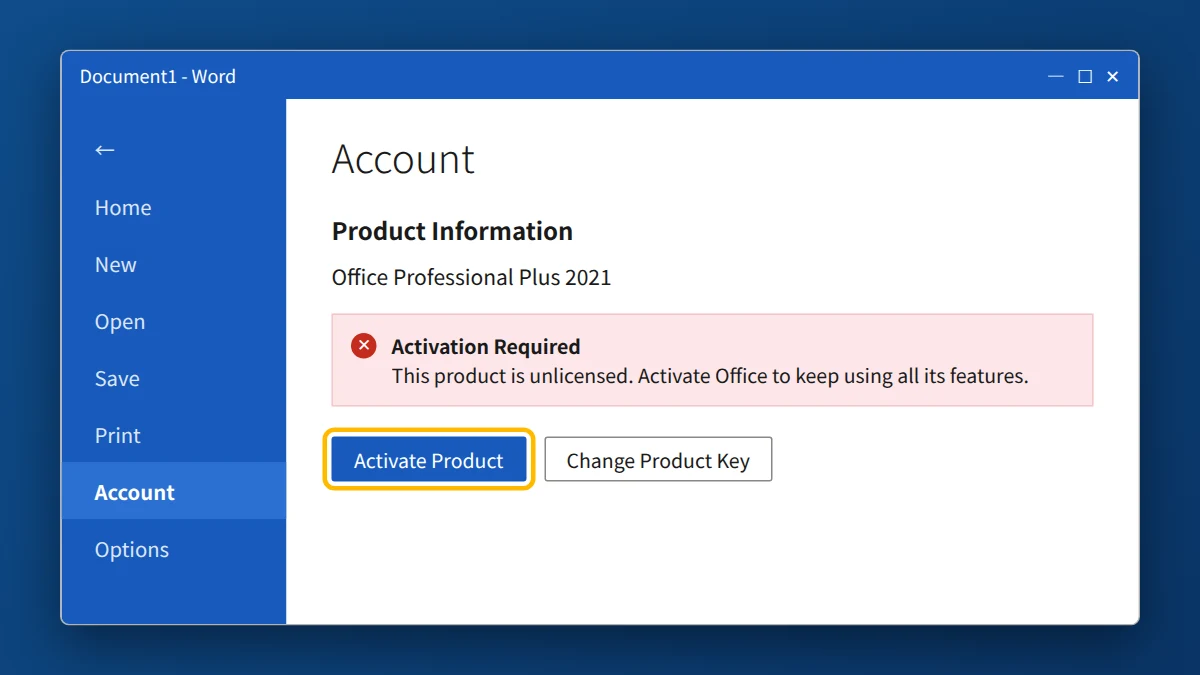
- Re-enter the key. Open Word or Excel, go to File → Account → Activate Product, and paste the key from your email instead of typing it.
- Check your connection. Make sure you're online, and sign in with a Microsoft account if prompted.
- Remove other Office versions. Go to Settings → Apps, uninstall any trial, Microsoft 365, or older Office installs, and restart your PC.
- Reinstall Office 2021. Use the download link in your delivery email, install it, and enter the key again.
- Restart and retry. Close all Office apps, restart the PC, and try activating once more.
- Contact your seller. If the error persists, send your seller the order number and a screenshot of the message.
Advanced: Clear an Old Key With the Command Line
If Office still uses an old or wrong key, you can remove it manually. Only try this if you're comfortable with the Command Prompt.
- Open the Start menu, type cmd, right-click Command Prompt, and choose Run as administrator.
- Go to the Office folder. For 64-bit Office:
cd "C:\Program Files\Microsoft Office\Office16"
For 32-bit Office on 64-bit Windows:cd "C:\Program Files (x86)\Microsoft Office\Office16" - List the installed keys:
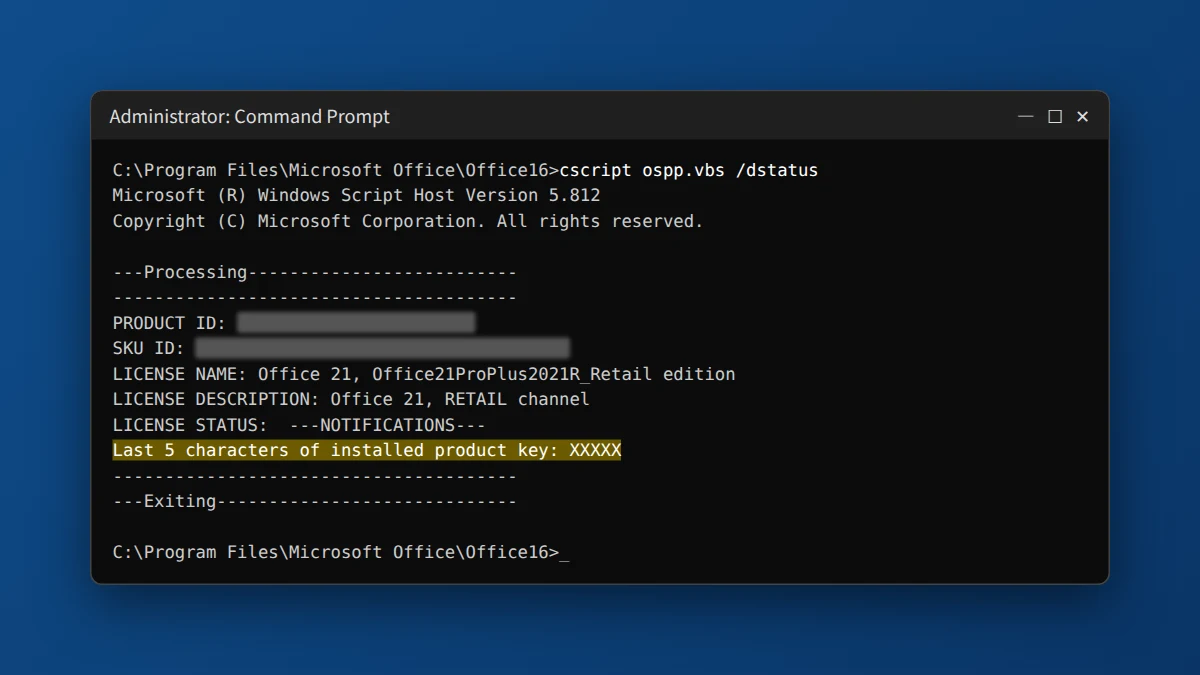
cscript ospp.vbs /dstatus
Each entry shows the last 5 characters of its key. - Remove the wrong one, replacing XXXXX with its last 5 characters:
cscript ospp.vbs /unpkey:XXXXX - Install your key, then activate:
cscript ospp.vbs /inpkey:YOUR-PRODUCT-KEYcscript ospp.vbs /act
If You Bought Your Key From KRBKeys
Email support@krbkeys.com with your order number and a screenshot of the error. We typically reply within 1–6 hours, and if the key is genuinely invalid or already used, we replace it at no cost.
Need a genuine Office key?
One-time purchase, no subscription. Instant email delivery and a free replacement if activation fails.
Frequently Asked Questions
Does this error mean my key is fake?
No. It usually comes from a typo, a conflicting Office version, or a sign-in or connection problem, so check those before assuming the key is at fault.
Why does Office keep asking me to subscribe?
Another Office version, such as a Microsoft 365 app or a trial, is probably installed and taking priority. Uninstall it, restart, and reinstall Office 2021.
Do I need a Microsoft account to activate?
Yes, Office 2021 needs an internet connection and a Microsoft account, as listed in its system requirements.
Can I use the same key on more than one PC?
No. Office 2021 Professional Plus is a one-time purchase for one PC.
I'm getting error 0xC004C060 instead. What does that mean?
It means Microsoft's activation server has blocked the key, so it can't be used anymore. Contact your seller for a replacement. See our guide to error 0xC004C060.


























