

Office Install Error Codes: What Each One Means and How to Fix It
This is a lookup list of Office install error codes, the ones Office shows when an install fails. It covers Office 2024, 2021, 2019 and Microsoft 365. First find your code, then read what it means, and start with the first fix.
How to use this list of Office install error codes
Office install errors look like 0-2048 (0) or 30015-1011 (1392). Search this page for the first part of your code, before the brackets. The number in brackets, on the other hand, is extra detail and often changes from one PC to the next.
Also, each row says where the explanation comes from. “Microsoft” means the cause is documented on a Microsoft support page, linked in the row. “Reports” means Microsoft has not published one, and the entry is based on what people who hit the error found.
Office install error codes Microsoft documents
| Code | What it means | First thing to try | Source |
|---|---|---|---|
| 0-1005 0-2005 | In short, you do not have administrator rights, or did not approve the permission prompt. | Click Yes on the User Account Control prompt, or right-click the installer and choose Run as administrator. | Microsoft |
| 0-1011 30088-1015 30183-1011 | A network connection problem, or the drive is running out of space. | First, free up disk space. If that is not it, then use the Office offline installer. | Microsoft |
| 0-1018 17003-2031 2035-0 | Another install, update or uninstall was already running when you started Office setup. | First, let the other install finish or restart the PC. Then run setup again. | Microsoft |
| 12002-4 12007-4 12152-4 | In this case, your internet connection, antivirus, firewall or proxy is stopping Office from downloading. | Instead, use the Office offline installer, or try a wired connection. | Microsoft |
| 30015-1011 (1392) 30015-4 (1392) | Microsoft gives no specific cause. However, its fixes point to connection, proxy, firewall or antivirus problems. | Restart the PC and install again. If it repeats, then use the offline installer. | Microsoft |
| 30029-1011 | Microsoft gives no specific cause. However, it can also come from an outdated Office Deployment Tool. | Restart and reinstall. Also, if you use the Office Deployment Tool, download the current version. | Microsoft |
| 30068 (30068-4, 30068-39) | Microsoft gives no specific cause. However, its fixes point to a disabled Click-to-Run service or a broken existing install. | Restart and reinstall. Then open services.msc and also make sure Microsoft Office Click-to-Run Service is not set to Disabled. | Microsoft |
| 30174-4-27 | The PC ran out of disk space during the install, so setup stopped. | So free up space on the drive and install again. | Microsoft |
Office Deployment Tool install error codes
These Office install error codes appear when you install with setup.exe and a configuration file, which is how Office LTSC 2024 and other volume-licensed versions are installed.
| Code | What it means | First thing to try | Source |
|---|---|---|---|
| 0-2048 (0) | In other words, setup could not find the configuration file you named. | First, run the command from an administrator Command Prompt, inside the folder that holds setup.exe. | Our 0-2048 guide |
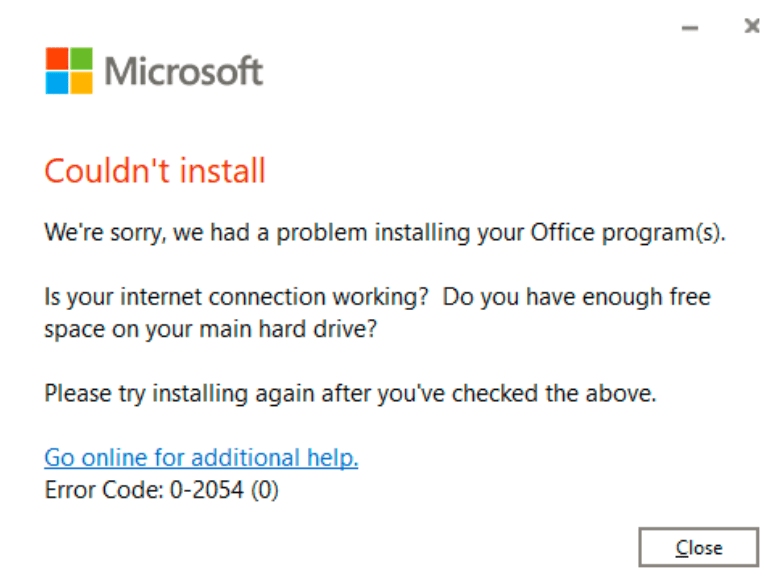
| 0-2054 (0) | A general setup failure. Most often, setup got no configuration file, the update channel conflicts with installed Office, or an older Office is in the way. | Instead, run setup.exe /configure configuration.xml, with the slash. | Our 0-2054 guide |
| 0-2035 (0) | Office setup is already running, for example a stalled earlier attempt. | Restart the PC, then run setup once. | Microsoft |
| 0-2031 (17002) 30015-11 | People see these together when they install Office LTSC 2024 over Office LTSC 2021. That’s because the 2024 version does not upgrade 2021 in place. | First, uninstall the older Office, restart, then install. | Reports |
Office install error codes with no official explanation yet
People are reporting these on Office 2024, but Microsoft has not published a cause. Therefore, the fixes below are the general ones, not confirmed cures.
| Code | Where it shows up | What to try | Source |
|---|---|---|---|
| 30015-2030 (13) | Installing Office 2024. | Restart and install again. After that, try the offline installer. | Reports |
| 30015-1015 (13) | Installing Office 2024 Professional Plus, 64-bit. | Restart and install again. After that, try the offline installer. | Reports |
| 30088-27 | Updating an installed, activated Office LTSC 2024. | No confirmed fix yet. Meanwhile, run an Online Repair from Settings > Apps, then check for updates again. | Reports |
Fixes that work for most Office install error codes
If your code is not on the list, or the first fix did not work, go through these in order. After all, they are the steps Microsoft repeats across its own error pages.
- First, restart the PC and run the install once more.
- Next, free up disk space. Office needs several GB for the download and the install together.
- Then remove older Office versions in Settings > Apps > Installed apps, then restart.
- Also, use the Office offline installer so a weak connection, proxy or firewall cannot interrupt the download.
- In addition, pause third-party antivirus and firewall for the length of the install, and turn them back on straight after.
- Finally, run the installer as administrator.
FAQ
Does an install error mean my product key is bad?
No. These codes appear before Office checks any key. Instead, key problems show up later, as activation errors inside Word or Excel.
What does the number in brackets mean?
In fact, it is just an internal detail code. For example, the same error can show different numbers in brackets, so search by the first part.
My code is not on this list. What now?
Work through “Fixes that work for most codes” above. If it still fails, then note the full code and the sentence shown above it, since that sentence usually says more than the number.
Related guides
- Office 2024 error 0-2048 (0): configuration file not found
- Office error 0-2054 (0): Couldn’t install
- Office error 0-2035 (0): Office is already being installed
- Office error 30015-11 and 0-2031 (17002)
- Office 2024 error 30015-2030 (13)
- Office 2024 error 30015-1015 (13)
- Office 2024 LTSC Professional Plus: download and install